One line.
And you're done.
A free to-do app for school, work and everything else.Mac · iPhone · iPad · Apple Watch
Date, time and name detection currently supports Korean input.
No sign-up. Your device and your iCloud only.
Why it exists
Writing it down is easy. Filing it is the chore.
There are plenty of to-do apps. But by the time you have picked a date, set a time and tagged the right category, you are tired before you have typed the task. So it ends up as one line in Notes, and the deadline stays in your head.
- A deadline gets mentioned as a meeting or class ends. Three taps for the date picker, two more for the time.
- Tasks are spread across classes, projects and chores, and you can never remember how far you got.
- “What's on next week?” means checking the calendar, the group chat and your notes.
The list
A list you can read at a glance
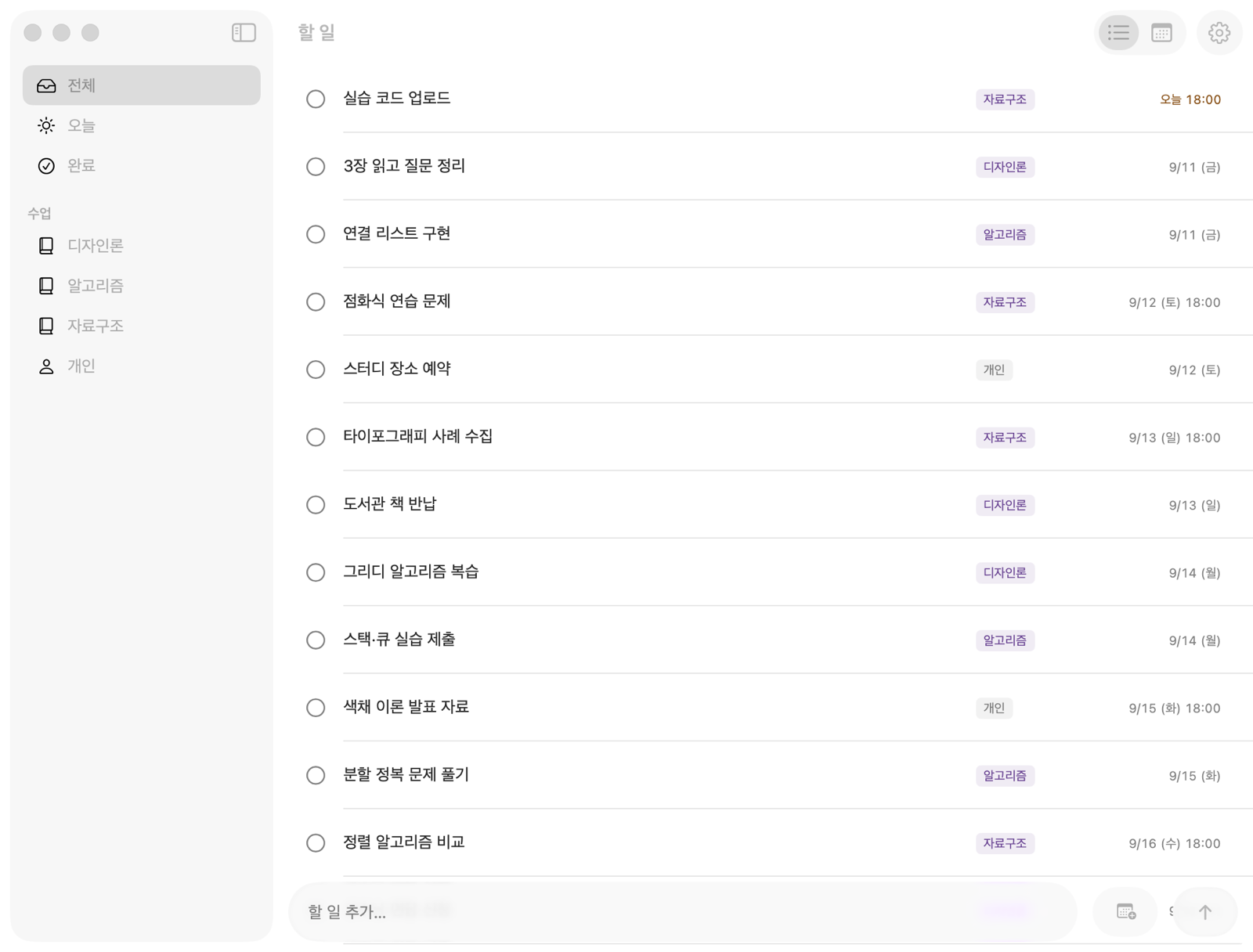
See everything, today or done, or filter by a name you registered, such as a course or a project. Deadlines appear in time order, with today's in amber. Switch to the month view for counts and lists per day.
Devices
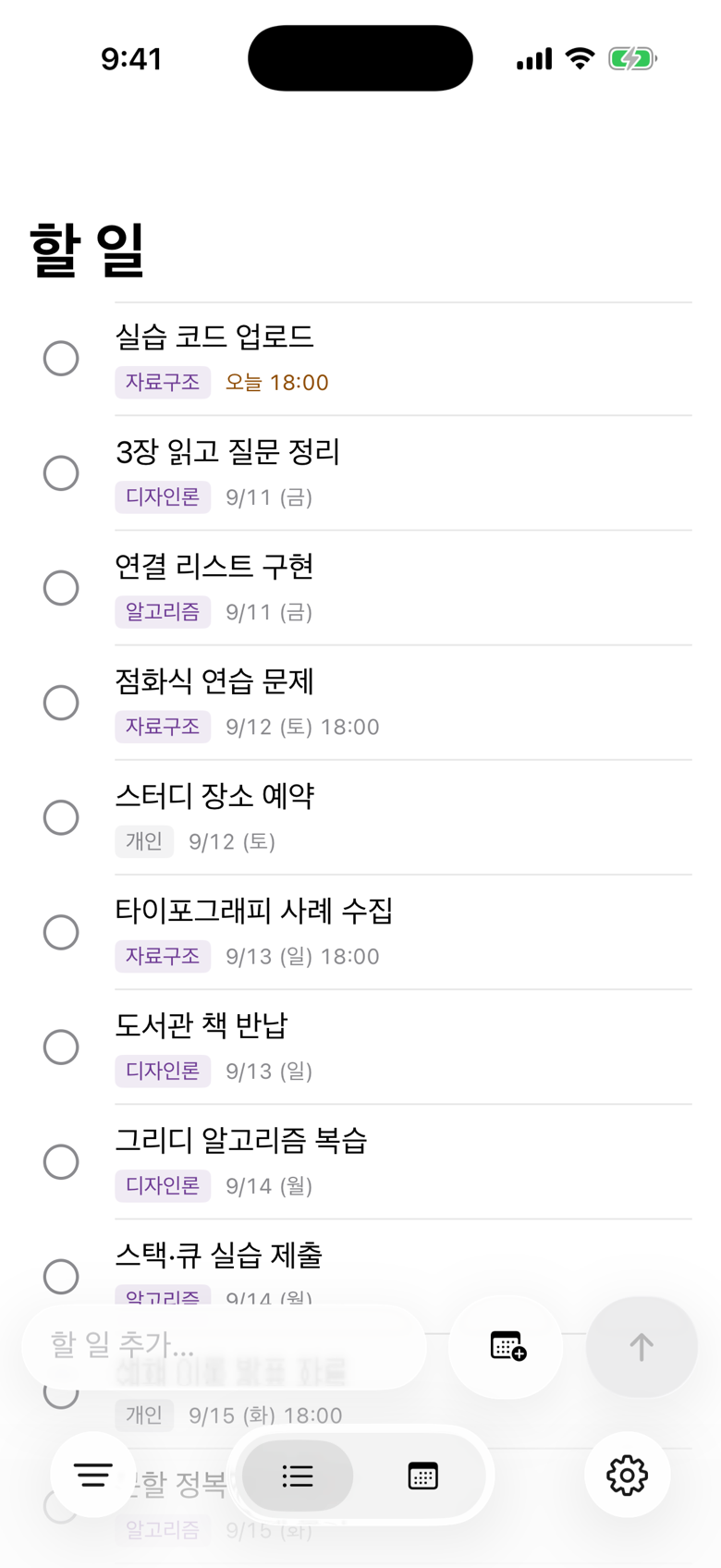
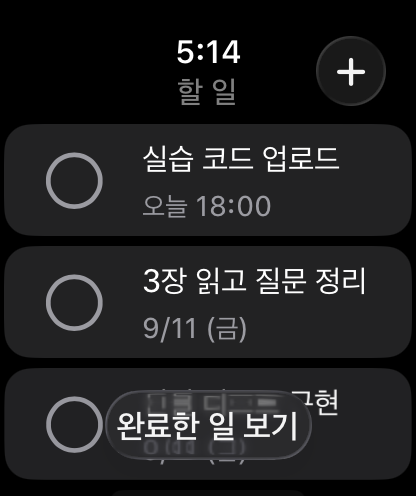
Write on iPhone, tidy on Mac, check on Watch
Every screen is native. iCloud keeps them in sync, so whichever device you write on, you see the same list.
What it does
What it does
- 01
One-line entry
Type a sentence and the date, time and registered name are picked out on your device. It understands today, tomorrow, weekdays, next week, AM/PM and 24-hour times in Korean.
- 02
Files itself by name
Whether it's a course or a project, register the name and its nicknames once and new tasks sort themselves. Delete the name and the tasks stay.
- 03
Month calendar
Counts and lists per day, one month at a time. Tasks without a date have their own view.
- 04
Your device and your iCloud only
No sign-up and no developer server. Tasks live on your devices and in your own iCloud account, and the developer cannot see them.
How it works
Three tries and it's a habit
- 1
Register the names you use
A course or project name and a few nicknames: “Data Structures”, “DS”.
- 2
Type one line as it comes to mind
The date, time and name appear as a preview under the field.
- 3
Check and press Enter
If something is ambiguous, the app asks first. If it's wrong, fix it right there.
Scope
Small by choice
We don't compete on feature count. Here is what's missing today.
- No notifications
- No external calendar or mail
- Rule-based parsing · not an AI service
- Free · no separate account · no ads
FAQ
Things you might ask
Can I type in English or Japanese?
Task titles can be in any language. Automatic detection of dates, times and names currently supports Korean sentences only. In other languages, pick the date yourself before saving.
Is it really free?
Yes. The current version is free, with no account and no subscription. If paid features ever appear, this page will say so first.
Where are my tasks stored?
Only on your devices and in your own iCloud account. Nothing goes to a developer server, and the developer cannot see your tasks. Parsing happens on the device too.
Will a task I add on my Mac show up on my iPhone?
Yes. With iCloud turned on under the same Apple Account, Mac, iPhone, iPad and Apple Watch show the same list. There is no separate sign-up.
What if it gets something wrong?
You see a preview before saving, and ambiguous phrases (like “tomorrow at 1” without AM or PM) are asked about first. You can edit the date, time and name after saving too.
Which devices does it run on?
macOS 14, iOS and iPadOS 17, and watchOS 10 or later. On Apple Watch you can check upcoming tasks, mark them done and add simple ones.
Start with one task today
Install it and type one line. No sign-up, no setup.
Free · Mac · iPhone · iPad · Apple Watch